














Learning Centre
Learn how to use Guillevin.com to order electrical products online in Canada, manage projects, request quotes, check local branch inventory, and pay invoices securely.
Explore All Guillevin.com Online Tools
Sign up
Job Lists
Online Payment
Quote Request
Multiple Accounts
Wire Cutting
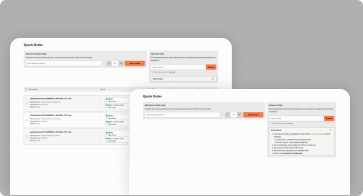
Quick Order
Custom Part Numbers
Account Roles
Tools Designed to Simplify Your Daily Work
Built to support electricians in their day-to-day work, these tools help you order faster, stay organized, and spend less time managing purchases.
Guillevin.com – Online Electrical Supply for Professionals Across Canada
Designed to simplify the daily purchasing process for electricians, combining local branch expertise with powerful online tools they can rely on every day.
FAQ - SIGN UP TO YOUR BUSINESS ACCOUNT
How do I create a user account on Guillevin.com?
How do I create a user account on Guillevin.com?
To create a user account:
- Click Sign In on Guillevin.com
- Select Sign Up
- Enter your email address and create a password
- Confirm your email using the verification message sent to your inbox
I already have a Guillevin account with my local branch. How do I link it?
I already have a Guillevin account with my local branch. How do I link it?
If you already have an account:
- Select Yes when asked if you have an existing account
- Click Link My Account
- Click + Link
- Enter your Customer Number and Sales Representative Number
What if I don’t have my Sales Representative number?
What if I don’t have my Sales Representative number?
If you don’t have your Sales Representative number, you must contact your local Guillevin branch or your sales representative to obtain it
FAQ - YOUR JOB LISTS
How do I create and add items to a Job List?
How do I create and add items to a Job List?
You can create a new Job List by giving it a name (required) and an optional description. Items can be added by entering SKU numbers or keywords, or by importing a custom list using the provided template and upload option
Can I share a Job List with my team?
Can I share a Job List with my team?
Yes. Job Lists can be shared with colleagues who have a Guillevin.com login, with the option to allow editing, or sent as a copy by email to others, supporting team collaboration and purchasing efficiency
FAQ - WIRE CUTTING
How do I know which wire products can be cut online?
How do I know which wire products can be cut online?
Wire products available for online cutting are clearly identified on Guillevin.com with a cutting icon. Only products that have been enabled in the system by the local profit center are eligible for online wire cutting.
FAQ - QUICK ORDER
How do I create a Quick Order?
How do I create a Quick Order?
You can create a Quick Order in two ways:
- Enter product SKUs or keywords directly in the Quick Order field
- Upload an order using an Excel (.xls) template
After selecting quantities, items can be added directly to your cart
FAQ - CUSTOM PART NUMBERS
How do I add a Custom Part Number to a product?
How do I add a Custom Part Number to a product?
To add a Custom Part Number, find the product you want on Guillevin.com and click Add My Part #. You can then enter your own unique reference code, which will be saved to that product
Can Custom Part Numbers be edited or changed?
Can Custom Part Numbers be edited or changed?
Yes. Custom Part Numbers can be modified at any time. This option is available to all users on the account, so changes affect everyone using the same login credentials
FAQ - ADDING MULTIPLE ACCOUNTS
How do I add or link another account to my profile?
How do I add or link another account to my profile?
To add another account, go to My Account and select Switch Account. From there, enter your Customer Number and Sales Representative ID to link the additional account to your profile
Can I switch between linked accounts without logging out?
Can I switch between linked accounts without logging out?
Yes. Once multiple accounts are linked, they appear under your profile and you can switch between them at any time without logging out, allowing faster account management
FAQ - QUOTES
How do I request a quote online on Guillevin.com?
How do I request a quote online on Guillevin.com?
You can request a quote directly from your shopping cart by selecting Request a Quote instead of checking out. After submitting the required information, the request is sent to your sales representative for review
What happens after I submit a quote request?
What happens after I submit a quote request?
Once your quote request is reviewed, you’ll receive an email notification and the quote will appear in your My Quotes Dashboard for approval or rejection. If approved, it is added to the Orders section of your account
FAQ - ORDERING OPTIONS
What are the different ways to place an order on Guillevin.com?
What are the different ways to place an order on Guillevin.com?
There are three ways to place an order on Guillevin.com:
Browse & Search, Quick Order, and the Job List module, allowing customers to choose the method that best fits their workflow
What is the Browse & Search ordering option?
What is the Browse & Search ordering option?
Browse & Search lets you navigate product categories or use the search bar to find products and add them to your cart, offering a traditional online shopping experience on Guillevin.com
When should I use Quick Order or Job Lists instead?
When should I use Quick Order or Job Lists instead?
Quick Order is best when you already know product SKUs or names and want to add items quickly to your cart, while the Job List module is ideal for creating and reusing job-specific product lists for faster repeat ordering
FAQ - ACCOUNT ROLES
How do I add a new user to my account?
How do I add a new user to my account?
To add a user, you must have the Administrator role.
- Log in to your account.
- Go to My Account, then select Roles and Users.
- Click + Create New User.
- Complete the required information.
- Select the appropriate role.
- Check Send access email so the user receives their activation details.
Note: This feature is only available to users with the Administrator role.
How do I modify the access or role of an existing user?
How do I modify the access or role of an existing user?
Only Administrators can modify user access.
- Go to Roles and Users in the main menu.
- In the User Administration section, click the pencil icon to the right of the user’s name.
- Adjust the role or permissions as needed.
- Click Save.
A user’s role can be modified at any time.
How do I grant a user access to invoices and account statements?
How do I grant a user access to invoices and account statements?
Access to the Invoices and Account Statements module must be manually enabled by an Administrator.
When creating or editing a user:
- Select the appropriate user role.
- Check Access to Invoices and Account Statements.
- Check Send access email to notify the user that their permissions have been activated.
- Click Create User or Save.
Only Administrators can grant or modify access to the billing module.